Virtual Reality Icon Set 1: Design Resources for Modern Creatives
Virtual Reality Icon Set 1 is a carefully crafted collection of visual assets designed to enhance digital and print projects with a modern, immersive aesthetic. Whether you're building a website, designing a presentation, or creating promotional materials, this icon set offers a versatile toolkit for expressing ideas related to virtual reality, interactivity, and digital experiences.
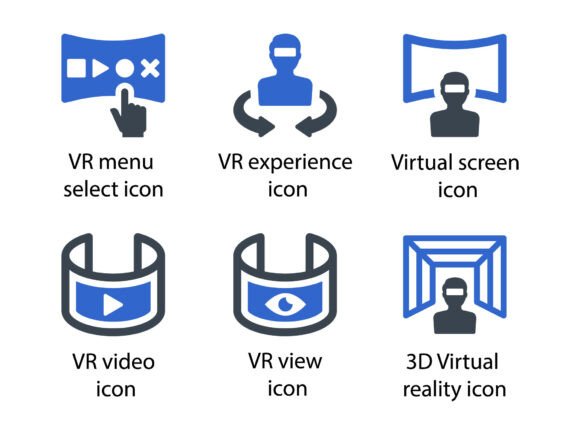
Each icon in the set—VR menu select, VR experience, virtual screen, VR video, VR view, and 3D virtual reality—is designed with attention to detail and visual harmony. The files included (EPS, SVG, and PNG formats) ensure flexibility across platforms and design software, making it easy to scale, edit, and integrate into a variety of creative workflows.
Why Virtual Reality Icon Set 1 Stands Out
What makes Virtual Reality Icon Set 1 particularly valuable is its balance of style and functionality. These icons are not just visually appealing—they’re built to communicate specific concepts clearly and effectively. Whether you're designing for a tech startup, an educational platform, or a personal blog, these icons help bridge the gap between abstract ideas and intuitive visuals.
Because they're available in multiple formats, users can maintain high quality across different mediums. SVG files ensure crisp visuals on websites, EPS files are ideal for print design, and PNGs offer a quick, universally compatible option for digital use. This adaptability makes the set a smart investment for designers working across platforms.
Creative Applications Across Industries
Designers, marketers, educators, and entrepreneurs can all find practical uses for Virtual Reality Icon Set 1. Here are a few ways different professionals might incorporate these icons into their work:
- Web designers can use the icons to build intuitive navigation menus, interactive dashboards, or immersive landing pages that reflect a tech-forward brand identity.
- Marketers can integrate the icons into infographics, social media posts, and promotional banners to visually represent digital experiences and VR-related campaigns.
- Educators can incorporate the icons into course materials, especially in e-learning platforms focused on digital literacy, design thinking, or emerging technologies.
- Bloggers and content creators can use the icons to enhance articles, tutorials, or resource guides about virtual reality, UX design, or digital innovation.
- Presentation designers can apply the icons to slides to illustrate points about immersive tech, user engagement, or future trends in digital interaction.
Designing with Purpose: Tips for Effective Use
While the icons are visually strong on their own, how you use them can significantly impact their effectiveness. Here are a few best practices to keep your designs clear, consistent, and audience-friendly:
- Maintain visual harmony by using the icons in alignment with your existing color palette, typography, and design style. Don’t be afraid to tweak colors or sizing to match your brand’s tone.
- Use icons to support, not replace written content. Icons should enhance understanding, not create confusion. Pair them with brief labels or captions when necessary.
- Aim for consistency in how you apply the icons across different formats. If you use a flat style in one section, keep the same approach throughout to avoid visual clutter.
- Test for clarity by showing your designs to others. Icons should be instantly recognizable—even to people unfamiliar with VR terminology.
- Optimize for performance when using SVG or PNG files on websites. Compress images where needed and ensure file sizes don’t slow down page load times.
Exploring Style Variations and Customization
One of the strengths of Virtual Reality Icon Set 1 is its adaptability to different design styles. While the icons are meticulously designed in a clean, modern glyph format, they can be customized to fit a variety of visual themes:
- Flat design: Use the icons as-is for a clean, minimalist look that works well in UI/UX design and modern web layouts.
- Material design: Add subtle shadows or depth to icons for a more tactile, interactive feel—ideal for mobile app interfaces or digital dashboards.
- Line and fill variations: Experiment with line thickness or solid fills to match different branding styles or design moods.
- Animated versions: If your project supports motion graphics, consider animating the icons for added visual interest—especially useful in presentations or explainer videos.
Project Ideas to Spark Inspiration
If you're looking for ways to incorporate Virtual Reality Icon Set 1 into your next creative project, here are a few practical ideas to get you started:
- Create a VR-themed landing page for a tech product launch, using the icons to guide users through features and benefits.
- Design a print brochure for a digital experience center or immersive learning lab, using the icons to highlight interactive elements.
- Build an infographic on the evolution of virtual reality, using icons to represent different milestones or technologies.
- Develop a mobile app UI kit that integrates the icons for menu navigation, settings, and immersive features.
- Design a slide deck for a conference or workshop on digital innovation, using icons to reinforce key points and visual flow.
Who Should Use Virtual Reality Icon Set 1
This icon set is ideal for a wide range of users, from freelance designers and in-house creatives to educators and small business owners. If you're looking to communicate ideas related to virtual reality, immersive experiences, or digital interaction in a clear and visually engaging way, this set provides a strong foundation.
Whether you're designing for a niche tech audience or a general consumer base, the icons can be adapted to suit your needs. Their clean, scalable design ensures they remain effective across different formats, from mobile screens to printed materials.
Final Thoughts: Making the Most of Visual Resources
Icons like those in Virtual Reality Icon Set 1 are more than just decorative elements—they’re tools for communication. When used thoughtfully, they can simplify complex ideas, guide user interactions, and elevate the visual appeal of your projects.
As with any design resource, the key is to use them with intention. Pair them with strong content, maintain visual consistency, and always consider the context in which they’ll be seen. Whether you're building a website, crafting a presentation, or designing promotional materials, this icon set offers a reliable, versatile way to bring your ideas to life.